Photo Enhancer & Editor・Mirage1.3.2
Publisher Description


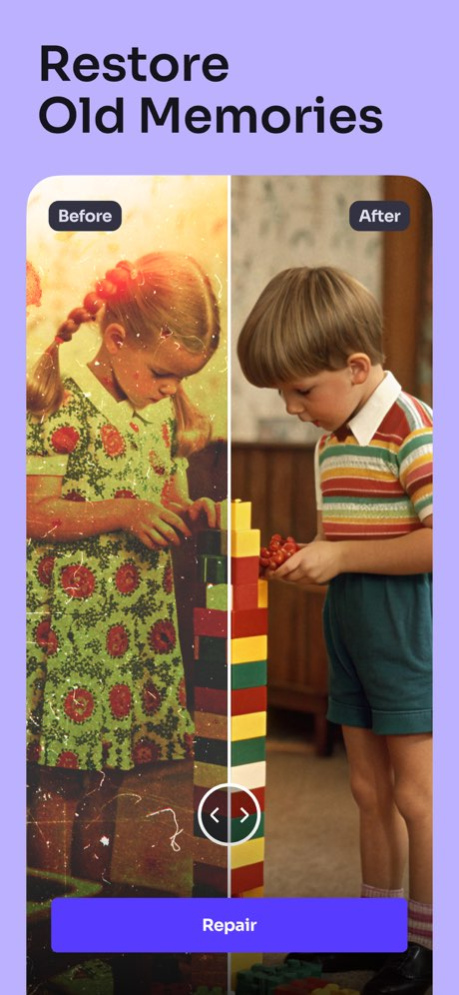

Transform your photos with Mirage, the ultimate AI-powered photo editing app. Whether you’re enhancing image quality, restoring old memories, or exploring artistic styles, Mirage has everything you need to create stunning visuals with ease.
○ TRANSFORM YOUR PHOTOS WITH AI
- Enhance Photo Quality
Unblur photos, restore clarity and fix blurry or low-resolution images effortlessly.
- AI Avatar Generator
Transform your selfies into captivating AI-generated avatars or professional-quality headshots. Choose from styles like Realistic, Professional, or creative themes such as Fantasy, Superhero, and more. Perfect for enhancing your social media presence or showcasing a unique look.
- Artistic Styles
Elevate your photos to the next level with artistic transformations. Experiment with a variety of visual enhancements designed to give your images a polished, creative edge. Whether you're looking for subtle refinement or bold artistic flair, these tools ensure your pictures stand out as true masterpieces.
- Colorize Black & White Photos
Add vibrant colors to old monochrome photos.
- Restore Old Photos
Repair damaged or faded pictures to preserve timeless memories.
- Custom Filters & Adjustments
Fine-tune your images with powerful editing tools.
○ HOW TO ENHANCE AND TRANSFORM YOUR IMAGES?
- Unblur Photos with AI
Restore lost details in a single tap and achieve clear, professional-quality images instantly.
- Generate AI-Powered Portraits
Experiment with styles like Anime, Cyberpunk, or Vintage. Customize your photos into cartoon-like edits or explore fantasy themes.
- Explore Different Styles
Infuse your images with vibrant neon glows, futuristic cyberpunk vibes, or even cartoons, creating bold, dynamic visuals that capture attention.
- Colorize & Restore Memories
Revive old or damaged photos using cutting-edge AI. Add lifelike colors to black-and-white images and keep your memories alive.
- Apply Stunning Filters
Enhance photo quality further with artistic filters and color adjustments to fit your style.
○ SEAMLESS EXPERIENCE
Save and share your creations in high quality. Whether you're a casual user or a professional, Mirage offers intuitive tools to unleash your creativity.
○ CONTACT:
For app support and more information, reach out at:
info@mirageai.app
Terms of Use:
https://mirageai.app/terms-of-service/
Privacy Policy:
https://mirageai.app/privacy-and-cookie-policy/
Download Mirage today and redefine your photos with AI!
Version History App performance improvements.
Thank you very much for your 5-star ratings :) ***** 1.3.2 09/01/2025 App performance improvements.
Thank you very much for your 5-star ratings :) ***** 1.3.1 08/25/2025 New! Face Enhancement feature
Thank you very much for your 5-star ratings :) ***** 1.3.0 08/11/2025 New! AI Auto Enhance & improved AI Style & Avatar flows
Thank you for your 5-star ratings :)
***** 1.2.0 06/02/2025 New! Performance improvements
Thank you for your 5-star ratings :)
***** 1.1.0 04/24/2025 New! Performance improvements
Thank you for your 5-star ratings :)
***** 1.0.3 03/07/2025 New! Performance improvements
Thank you for your 5-star ratings :)
***** 1.0.2 03/04/2025 New! Performance improvements
Thank you for your 5-star ratings :)
***** 1.0.1 01/09/2025 1.0 12/23/2024
About Photo Enhancer & Editor・Mirage
The company that develops Photo Enhancer & Editor・Mirage is MAETCH EXPANSION, S.L.. The latest version released by its developer is 1.3.2.
To install Photo Enhancer & Editor・Mirage on your iOS device, just click the green Continue To App button above to start the installation process. The app is listed on our website since 2026-10-14 and was downloaded 1 times. We have already checked if the download link is safe, however for your own protection we recommend that you scan the downloaded app with your antivirus. Your antivirus may detect the Photo Enhancer & Editor・Mirage as malware if the download link is broken.
How to install Photo Enhancer & Editor・Mirage on your iOS device:
- Click on the Continue To App button on our website. This will redirect you to the App Store.
- Once the Photo Enhancer & Editor・Mirage is shown in the iTunes listing of your iOS device, you can start its download and installation. Tap on the GET button to the right of the app to start downloading it.
- If you are not logged-in the iOS appstore app, you'll be prompted for your your Apple ID and/or password.
- After Photo Enhancer & Editor・Mirage is downloaded, you'll see an INSTALL button to the right. Tap on it to start the actual installation of the iOS app.
- Once installation is finished you can tap on the OPEN button to start it. Its icon will also be added to your device home screen.
Program Details
System requirements
Download information
Pricing
Version History
version 1.3.2
posted on 2026-10-14
Version History App performance improvements.
Thank you very much for your 5-star ratings :) ***** 1.3.2 09/01/2025 App performance improvements.
Thank you very much for your 5-star ratings :) ***** 1.3.1 08/25/2025 New! Face Enhancement feature
Thank you very much for your 5-star ratings :) ***** 1.3.0 08/11/2025 New! AI Auto Enhance & improved AI Style & Avatar flows
Thank you for your 5-star ratings :)
***** 1.2.0 06/02/2025 New! Performance improvements
Thank you for your 5-star ratings :)
***** 1.1.0 04/24/2025 New! Performance improvements
Thank you for your 5-star ratings :)
***** 1.0.3 03/07/2025 New! Performance improvements
Thank you for your 5-star ratings :)
***** 1.0.2 03/04/2025 New! Performance improvements
Thank you for your 5-star ratings :)
***** 1.0.1 01/09/2025 1.0 12/23/2024
version 1.3.2
posted on 2025-09-01
App performance improvements.
Thank you very much for your 5-star ratings :) *****
